
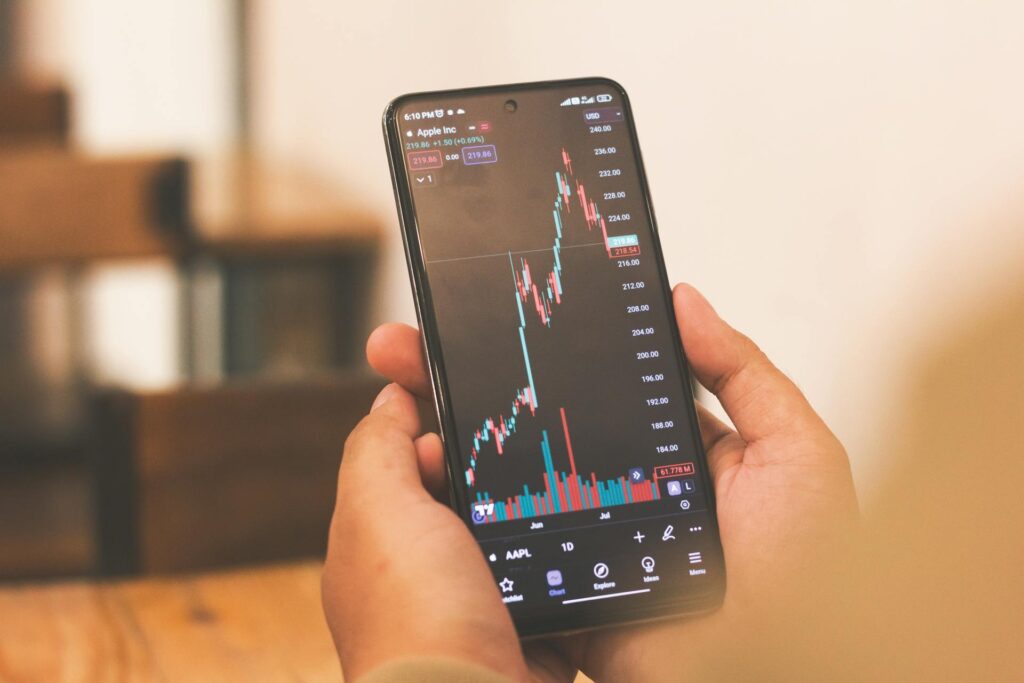
5 Best Stock Trading Apps for Beginners (Zero Commissions)
What Makes a Trading App Good for Beginners?
Before we get to the rankings, you need to understand what actually matters when choosing a trading app.
The Five Critical Factors
1. True Zero Commissions (Not Hidden Fees)
Every app claims zero commissions. But many charge hidden fees:
- Payment for order flow (PFOF): Your orders are sold to high-frequency traders who profit from the difference between bid and ask. You pay through worse execution prices.
- Inactivity fees: Some platforms charge if you don’t trade monthly.
- Account minimums: Requiring 10,000 dollars to avoid fees.
- Data fees: Charging for real-time quotes that should be free.
- Transfer fees: Making it expensive to leave (50 to 100 dollars to transfer your account).
I look for platforms with genuinely no fees, not just “no commission on trades” marketing.
2. Easy-to-Use Interface
Professional platforms like Thinkorswim have 40 buttons on every screen. Great for day traders. Overwhelming for beginners.
Good beginner apps have:
- Clean design with minimal clutter
- One-tap buying (not 5 screens to place an order)
- Clear portfolio view showing gains/losses
- Simple charts (you don’t need 50 technical indicators)
If you can’t figure out how to buy a stock in 30 seconds, the app is too complicated.
3. Educational Resources
The best apps teach you as you trade:
- Explanations of order types (market vs limit)
- Definitions of financial terms
- Articles and videos on investing basics
- Paper trading to practice without real money
Bad apps assume you already know everything and leave you confused.
4. Reliable Execution and Uptime
In March 2020, Robinhood crashed three times during massive market volatility. Users couldn’t sell positions as their portfolios dropped 30 percent. Lawsuits followed.
Your trading app needs to work when you need it most – during market crashes, not just during calm times.
I test this by:
- Placing orders during market opens (9:30 AM EST) when volume peaks
- Checking execution speed on volatile stocks
- Reading user reports about outages
5. Quality Customer Support
When your account is locked or a trade doesn’t execute properly, you need help fast.
Best platforms offer:
- 24/7 phone support (not just email)
- Live chat with actual humans
- Response times under 5 minutes
Worst platforms have no phone number and take 3 days to answer emails.
The 5 Best Stock Trading Apps for Beginners (Ranked)
Quick Comparison Table
| App | Best For | Commissions | Minimum | Rating |
|---|---|---|---|---|
| Interactive Brokers | Serious beginners who want professional tools | $0 stocks, $0.65/contract options | $0 | 9.5/10 |
| Robinhood | Complete beginners, simple interface | $0 everything | $0 | 8/10 |
| M1 Finance | Automated investing, set and forget | $0 stocks | $100 | 8.5/10 |
| Fidelity | Long-term investors, retirement accounts | $0 stocks, $0.65/contract options | $0 | 9/10 |
| Webull | Active traders who want charts | $0 stocks | $0 | 7.5/10 |
Our #1 Recommendation: Interactive Brokers
Best for: Beginners who want to grow into advanced trading
1. Interactive Brokers – Best Overall for Serious Beginners
Overall Rating: 9.5/10
Commissions: $0 for stocks, $0.65 per options contract
Account Minimum: $0
Best Feature: Access to 150 global markets
Why Interactive Brokers Wins
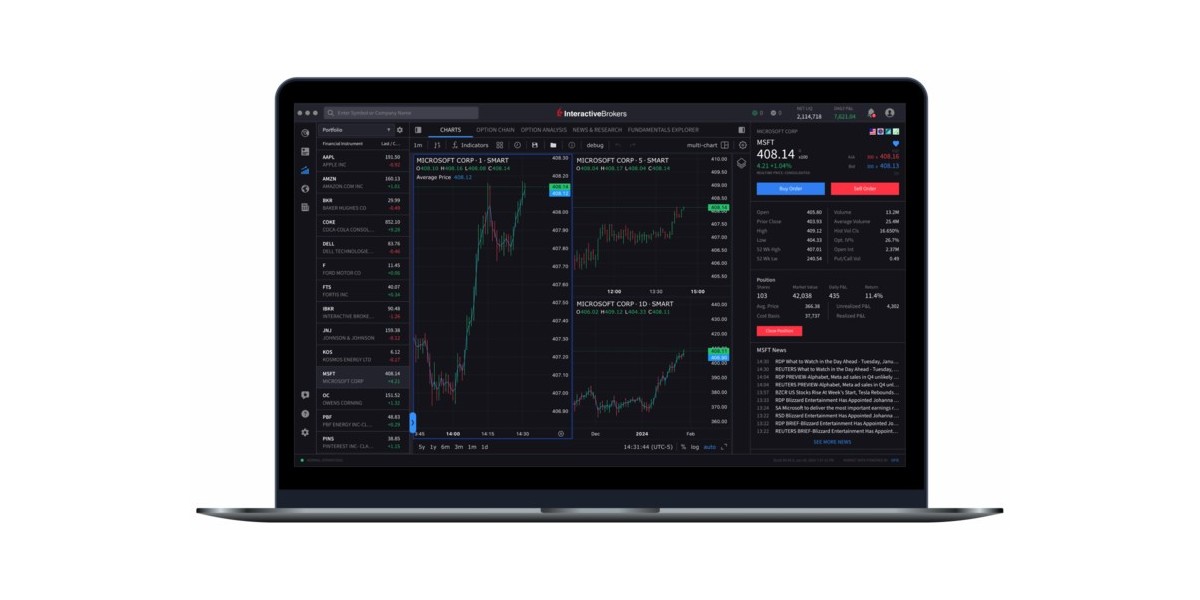
Interactive Brokers (IBKR) is what professional traders use, but they’ve made it accessible for beginners with their IBKR Lite platform.
Here’s what shocked me when I switched: the execution quality is noticeably better than Robinhood or Webull. On a 1,000 dollar trade, I’m typically getting 2 to 5 dollars better pricing due to superior order routing. Over a year of trading, this adds up to hundreds of dollars saved.
What You Get:
- True zero commissions on US stocks and ETFs (no payment for order flow on IBKR Lite)
- 150 global markets: Trade European, Asian, Australian stocks from one account
- Fractional shares: Buy 0.1 shares of Amazon if you want
- Best execution: IBKR routes orders to get you the best price, not the highest kickback
- Professional tools if you want them (advanced charting, options chains, market scanners)
- Extremely low margin rates: 4 to 6 percent vs 10+ percent at other brokers
- SIPC insured up to 500,000 dollars plus additional 30 million dollars excess SIPC
The Downsides
- Interface has a learning curve: It’s cleaner than it used to be, but still not as brain-dead simple as Robinhood. You’ll need 30 minutes to learn where everything is.
- Options cost money: 65 cents per contract. If you’re trading options heavily, this adds up. But for stock investors, this doesn’t matter.
- Not the best for retirement accounts: Fidelity or Vanguard are better for IRAs due to more mutual fund options.
Who Should Use Interactive Brokers
You’re a good fit if:
- You want to invest seriously (not just gamble on meme stocks)
- You value execution quality over app aesthetics
- You might want international stocks someday
- You’re willing to spend 30 minutes learning the platform
- You want a broker that won’t sell your order flow to Citadel
Skip it if:
- You want the absolute simplest interface possible
- You’re only buying 1 or 2 stocks ever
- You trade options frequently (those 65 cent fees add up)
My Personal Experience
I moved 80 percent of my portfolio to Interactive Brokers in 2023. The interface felt clunky for the first week. Then I realized I was saving 50 to 100 dollars per month on better executions compared to Robinhood.
Example: I bought 100 shares of Microsoft. On Robinhood, I would have paid the ask price of 420.15 dollars. On Interactive Brokers, my order filled at 420.08 dollars due to better routing. That’s 7 dollars saved on one trade. Multiply by 50 trades per year and I’m saving 350 dollars.
The platform has everything I need: stocks, options, futures, international markets, excellent mobile app, and customer service that actually answers the phone.
Ready to get started?
Open Your Free Interactive Brokers Account →
No account minimum. Commission-free stock trades. Best execution quality.
2. Robinhood – Best for Complete Beginners
Overall Rating: 8.0/10
Commissions: $0 for everything
Account Minimum: $0
Best Feature: Simplest interface in the industry
Why Robinhood Is Still Relevant
Robinhood gets a lot of hate from finance professionals. The GameStop saga, multiple outages, and SEC fines have damaged their reputation.
But here’s the truth: for someone who has never invested before and wants to start with 100 dollars, Robinhood is still the easiest entry point.
What You Get:
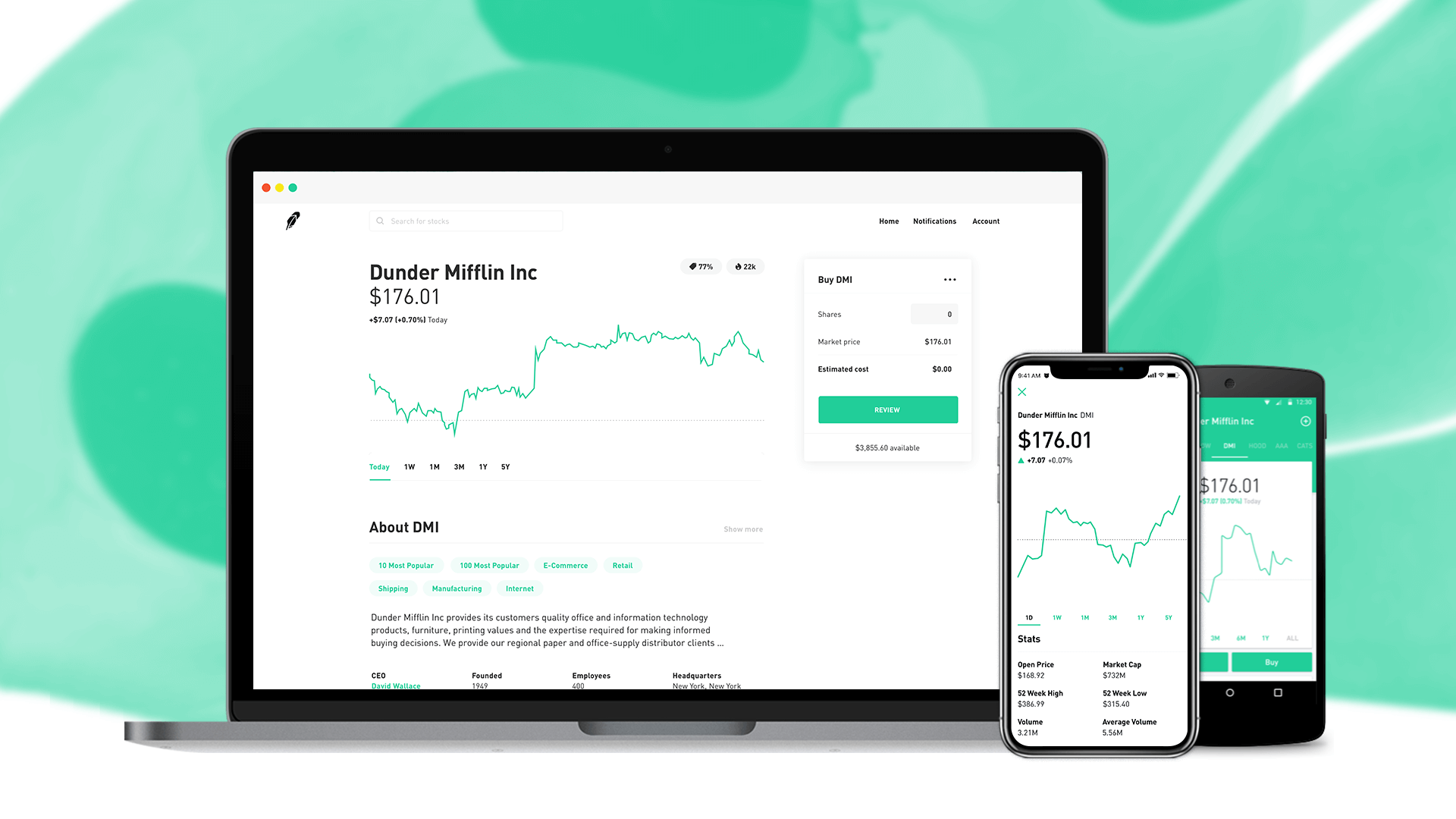
- Brain-dead simple interface: You can buy your first stock in 60 seconds
- True zero commissions: Stocks, ETFs, options, crypto all free
- Fractional shares: Buy 5 dollars of Tesla if that’s all you can afford
- Instant deposits: Deposit money and trade immediately (up to 1,000 dollars)
- Crypto trading: Buy Bitcoin without leaving the app
- Cash management: 4.5 percent APY on uninvested cash (competitive with savings accounts)
- Beautiful app design: Genuinely the best-looking trading app
The Downsides
1. Payment for order flow: Robinhood makes money by selling your orders to high-frequency trading firms. You get slightly worse prices (2 to 5 dollars on a 1,000 dollar trade). For small accounts, this doesn’t matter much. For larger accounts, it adds up.
2. Reliability issues: The platform has crashed during high volatility. If you’re day trading or need to exit positions during market panic, this is a real problem.
3. Limited research tools: No fundamental data, analyst ratings, or advanced charting. You’ll need external tools to research stocks.
4. Customer service is terrible: No phone support. Email responses take 2 to 5 days. If something goes wrong, you’re stuck.
5. Encourages bad behavior: The confetti animation when you buy stocks, push notifications about trending stocks, and gamification features encourage overtrading.
Who Should Use Robinhood
You’re a good fit if:
- You’re investing for the first time ever
- You have less than 5,000 dollars to invest
- You want to start immediately without learning anything
- Simple interface matters more than execution quality
- You want crypto and stocks in one app
Skip it if:
- You have more than 10,000 dollars to invest (execution quality matters)
- You need reliable uptime during volatility
- You want good customer service
- You plan to trade options actively (Interactive Brokers is better)
My Personal Experience
I still keep a Robinhood account with about 2,000 dollars for experimental positions. It’s perfect for:
– Testing new investment ideas with small amounts
– Buying fractional shares
– Quick crypto trades
But I moved my serious money to Interactive Brokers after calculating I was losing 300+ dollars per year to worse execution on Robinhood.
If you’re starting with 500 dollars and just want to get your feet wet, Robinhood is fine. But plan to graduate to a better platform (Interactive Brokers or Fidelity) once you have 10,000+ dollars invested.
Starting your investing journey?
Get a free stock worth up to $200 when you open an account.
3. M1 Finance – Best for Automated Investing
Overall Rating: 8.5/10
Commissions: $0 for stocks and ETFs
Account Minimum: $100 ($500 for retirement accounts)
Best Feature: Automated portfolio rebalancing
Why M1 Finance Is Different
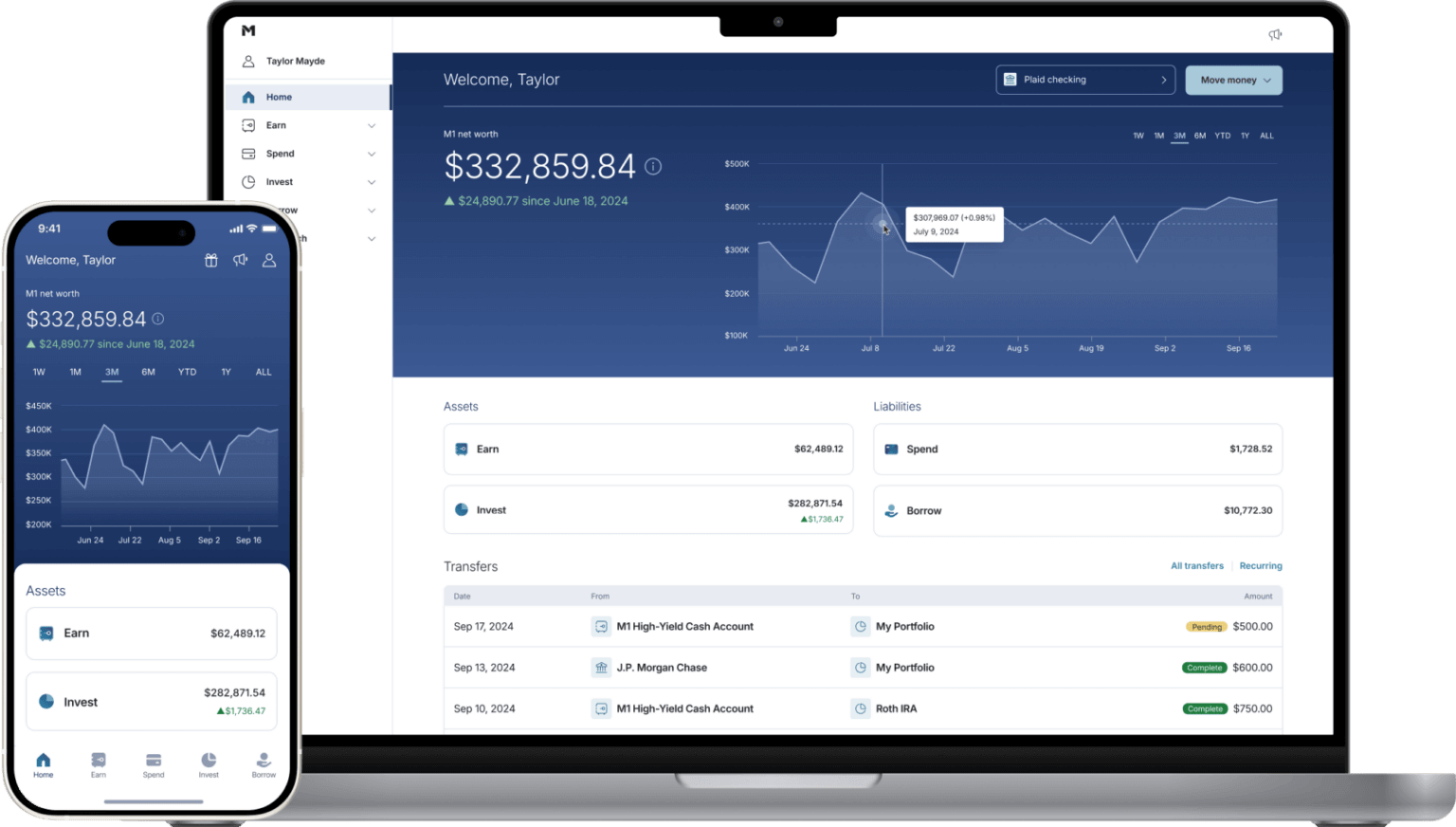
M1 Finance is a hybrid between a robo-advisor and a self-directed brokerage. You build a “pie” of stocks and ETFs, set your allocation percentages, and M1 automatically maintains those allocations.
This is perfect for people who want to invest passively without constantly adjusting their portfolio.
What You Get:
- Pie-based investing: Set your target allocation (60 percent stocks, 40 percent bonds), M1 maintains it automatically
- Free automated rebalancing: As stocks grow or shrink, M1 adjusts to keep your percentages correct
- Fractional shares: Every deposit buys exactly your target allocation, no cash sitting idle
- Zero commissions: Stocks and ETFs completely free
- Dynamic rebalancing: New deposits go to underweight positions automatically
- Borrow feature: Margin rates as low as 3.5 to 5 percent (M1 Plus members)
- Spend account: Checking account + debit card integrated with investments
The Downsides
1. Limited trading windows: You can only place orders once per day (morning trading window). If you want to buy/sell throughout the day, this won’t work.
2. No options trading: Stocks and ETFs only. If you want options, use Interactive Brokers or Robinhood.
3. 100 dollar minimum: Not ideal if you’re starting with 50 dollars.
4. Learning curve for pies: The pie interface is unique. Takes 15 minutes to understand.
Who Should Use M1 Finance
You’re a good fit if:
- You want to invest regularly and automatically (dollar-cost averaging)
- You like the idea of portfolio rebalancing but don’t want to do it manually
- You’re building a long-term portfolio (not day trading)
- You want fractional shares with perfect allocation
- You follow a specific investment strategy (60/40 portfolio, three-fund portfolio, etc.)
Skip it if:
- You want to trade multiple times per day
- You trade options
- You prefer clicking “buy” for individual stocks rather than pies
My Personal Experience
I don’t personally use M1, but I recommended it to my sister who wanted to invest but felt overwhelmed by choices.
She created a simple pie:
- 70 percent VOO (S&P 500 ETF)
- 20 percent VXUS (International stocks)
- 10 percent BND (Bonds)
Now she deposits 500 dollars monthly and M1 automatically maintains those percentages. She hasn’t touched it in two years. Her account is up 28 percent. Perfect for hands-off investors.
Want automated portfolio management?
Open Free M1 Finance Account →
Set your allocation once, invest automatically forever.
4. Fidelity – Best for Retirement Accounts
Overall Rating: 9.0/10
Commissions: $0 for stocks, $0.65/contract options
Account Minimum: $0
Best Feature: Excellent retirement account options
Why Fidelity Wins for IRAs
Fidelity is a traditional broker that’s been around since 1946. They manage 4.9 trillion dollars in assets. They’re not going anywhere.
For retirement accounts (Roth IRA, Traditional IRA, 401k rollovers), Fidelity is my top choice.
What You Get:
- Zero commissions on stocks, ETFs, and most mutual funds
- No account minimums (you can open an IRA with 10 dollars)
- Excellent mutual fund selection: 3,400+ no-transaction-fee mutual funds
- Fractional shares available
- Best-in-class research: Free access to analyst reports, earnings data, financial statements
- 24/7 phone support: Actual humans answer in under 2 minutes
- Zero IRA fees: No annual maintenance fees, no transfer fees
- Automatic dividend reinvestment
The Downsides
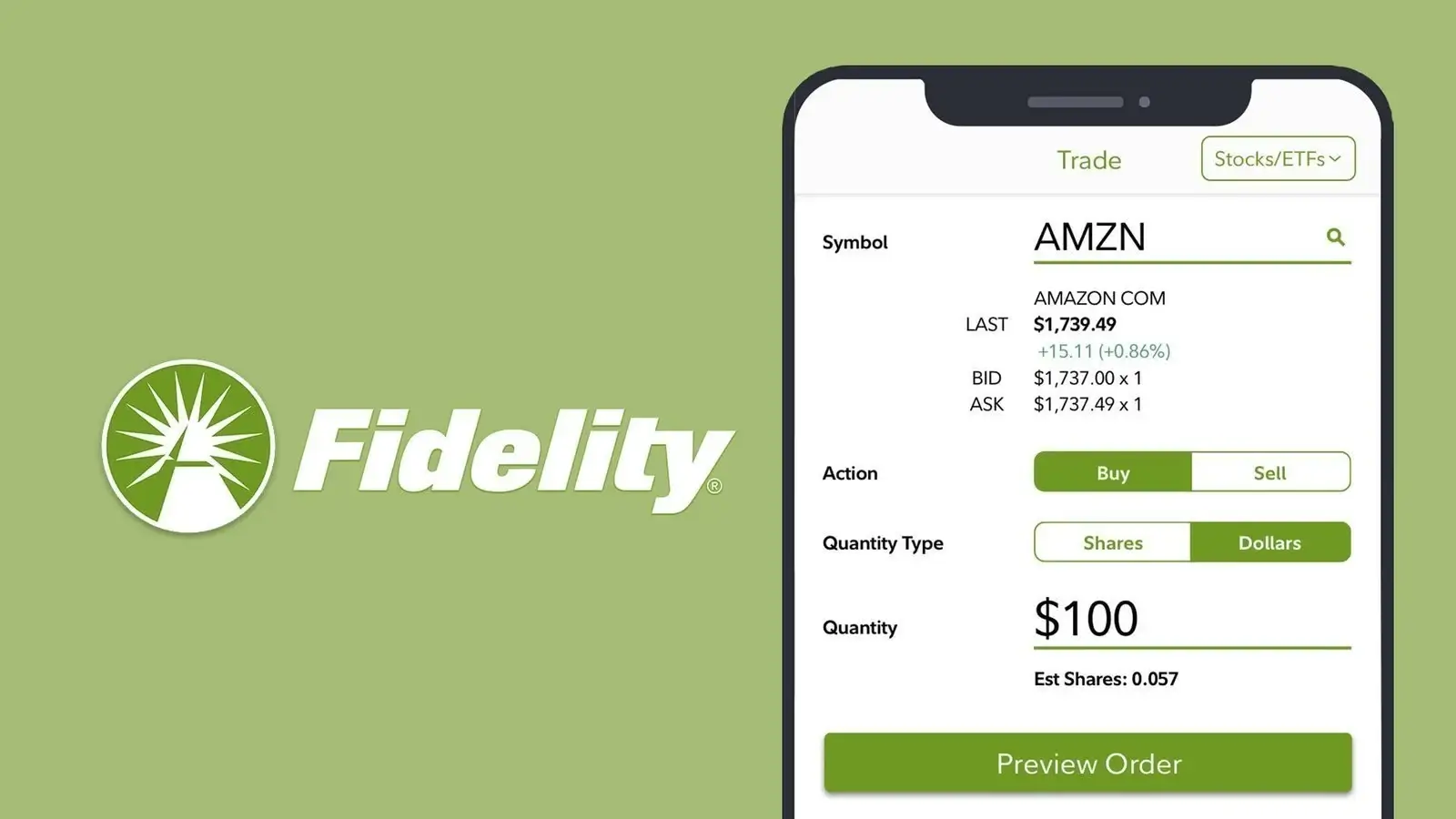
1. Interface is dated: The website looks like it’s from 2010. Mobile app is better but still not as sleek as Robinhood.
2. Overwhelming for beginners: So many features that finding basic functions is hard at first.
3. No crypto: If you want Bitcoin, use another platform.
Who Should Use Fidelity
You’re a good fit if:
- You’re opening a Roth IRA or Traditional IRA
- You want to invest in mutual funds (not just ETFs)
- You value customer service and reliability
- You’re investing for retirement (10+ year timeline)
- You want professional-quality research tools
Skip it if:
- You only want a simple taxable brokerage account (use Interactive Brokers or Robinhood)
- You want crypto trading
- Interface design matters a lot to you
My Personal Experience
My Roth IRA is at Fidelity. I chose them over Vanguard because:
- Better mobile app
- Faster customer service
- Easier to navigate website
- Access to fractional shares
I invest 6,500 dollars annually (IRA contribution limit) into a simple three-fund portfolio. Fidelity makes this easy with automatic investments and dividend reinvestment.
Never had any issues. Phone support is excellent. Website could use a redesign but it works.
Ready to open a retirement account?
No account minimum. Zero annual fees. Excellent fund selection.
5. Webull – Best for Active Traders Who Want Charts
Overall Rating: 7.5/10
Commissions: $0 for stocks and options
Account Minimum: $0
Best Feature: Advanced charting tools for free
Why Webull Makes the List
Webull is like Robinhood with better charts. If you want to analyze stocks using technical indicators but don’t want to pay for TradingView, Webull is your answer.
What You Get:
- Zero commissions on stocks, ETFs, and options
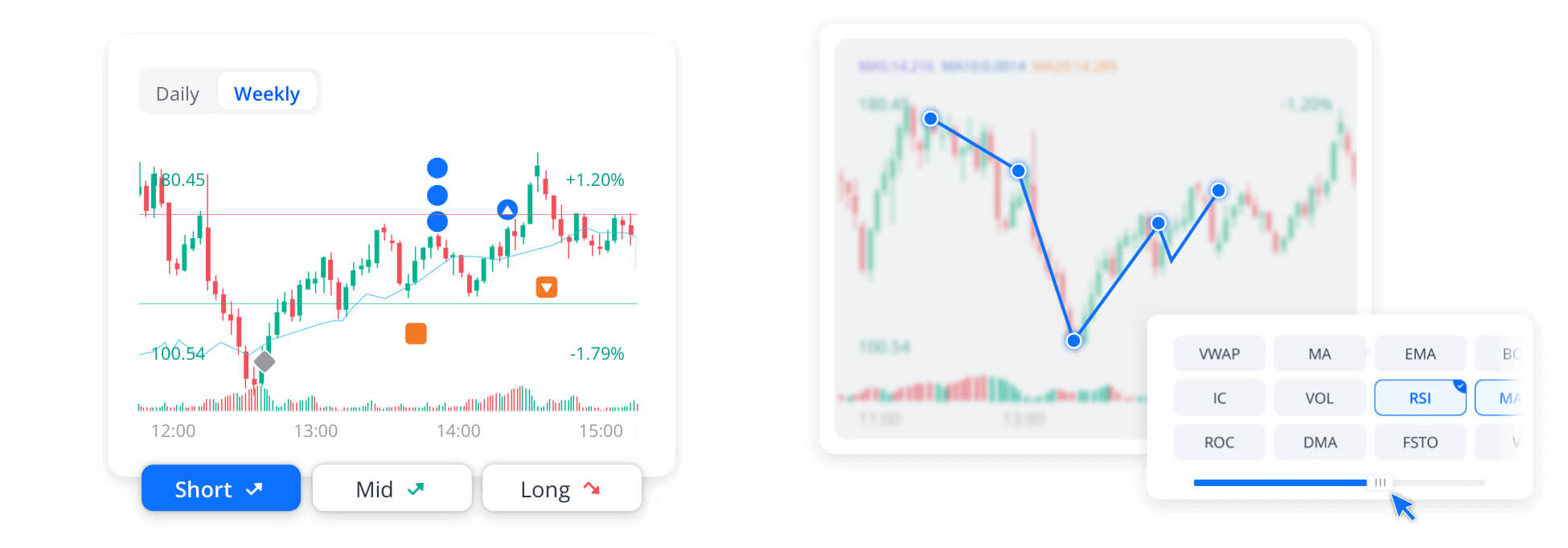
- Advanced charting: 50+ technical indicators, drawing tools, multiple timeframes
- Level 2 market data (see order book depth)
- Extended hours trading: 4 AM to 8 PM EST
- Paper trading mode: Practice with fake money before risking real capital
- Fractional shares
- No payment for order flow (better execution than Robinhood)
The Downsides
1. Based in China: Webull is owned by Fumi Technology (Chinese parent company). If you’re concerned about data privacy or geopolitical risks, this might matter.
2. Customer service is weak: Email only, slow responses
3. Overwhelming for true beginners: The charts and data are great for active traders but confusing if you just want to buy an index fund.
4. Margin approval is aggressive: They push margin accounts hard, which can be dangerous for beginners
Who Should Use Webull
You’re a good fit if:
- You want to learn technical analysis
- You trade somewhat actively (weekly or monthly)
- You want advanced charts without paying for TradingView
- Extended hours trading matters to you
- You want paper trading to practice
Skip it if:
- You’re a complete beginner (use Robinhood or M1 instead)
- You’re concerned about Chinese ownership
- You’re a long-term buy-and-hold investor (Fidelity or Interactive Brokers are better)
My Personal Experience
I tested Webull for three months in 2024. The charting tools are genuinely impressive – better than Robinhood, competitive with paid platforms.
But I closed my account because:
- I already have TradingView for charts
- I prefer Interactive Brokers for execution quality
- I didn’t need another brokerage account
If you’re serious about technical analysis but starting with limited capital, Webull is a solid choice. Just be aware of the Chinese ownership issue.
Want advanced charting for free?
Get free stocks worth up to $3,400 when you fund your account.
Platform Comparison: Side-by-Side
Fees Comparison
| Platform | Stock Trades | Options | Transfer Out Fee | Inactivity Fee |
|---|---|---|---|---|
| Interactive Brokers | $0 | $0.65/contract | $0 (partial), $75 (full) | $0 |
| Robinhood | $0 | $0 | $75 | $0 |
| M1 Finance | $0 | N/A | $100 | $0 |
| Fidelity | $0 | $0.65/contract | $0 | $0 |
| Webull | $0 | $0 | $75 | $0 |
Features Comparison
| Feature | IBKR | Robinhood | M1 | Fidelity | Webull |
|---|---|---|---|---|---|
| Fractional Shares | Yes | Yes | Yes | Yes | Yes |
| Crypto Trading | Yes | Yes | No | No | Yes |
| International Stocks | Yes (150 markets) | No | No | Limited | No |
| Retirement Accounts | Yes | Yes (IRA) | Yes | Yes (Best) | Yes |
| 24/7 Phone Support | Yes | No | No | Yes | No |
| Paper Trading | Yes | No | No | No | Yes |
| Advanced Charting | Yes | No | No | Basic | Yes |
| Auto-Rebalancing | No | No | Yes (Best) | No | No |
Which Trading App Should YOU Choose?
Here’s my recommendation based on your situation:
If You’re a Complete Beginner (Never Invested Before)
Start with: Robinhood
Why: Simplest interface, instant account opening, no learning curve. You can buy your first stock in 5 minutes.
Plan: Use Robinhood for 6 to 12 months while you learn. Once you have 10,000+ dollars invested, switch to Interactive Brokers for better execution.
If You’re Serious About Investing Long-Term
Start with: Interactive Brokers
Why: Best execution quality, access to global markets, professional tools when you need them, no payment for order flow.
Accept: 30-minute learning curve to understand the interface. Worth it for the execution savings.
Open Interactive Brokers Account →
If You Want Automated Investing (Set and Forget)
Start with: M1 Finance
Why: Build your pie, set your allocation, deposit monthly, never think about it again. Perfect for passive investors following index fund strategies.
If You’re Opening a Roth IRA or 401k Rollover
Start with: Fidelity
Why: Best mutual fund selection, excellent customer service, zero IRA fees, rock-solid reliability for long-term retirement accounts.
If You Want to Learn Technical Analysis
Start with: Webull
Why: Advanced charting tools for free, paper trading mode to practice, extended hours trading.
But consider: Subscribing to TradingView instead for even better charts plus community features.
Common Mistakes When Choosing a Trading App
Mistake 1: Choosing Based on Sign-Up Bonuses
Every platform offers free stocks or cash bonuses to new users. Webull advertises “up to $3,400 in free stocks!” These bonuses are marketing gimmicks.
The fine print:
- You need to deposit 10,000+ dollars to get the full bonus
- The “free stocks” are worth 5 to 10 dollars on average
- You must keep the account open for 1 to 2 years or pay back the bonus
Don’t choose a broker based on a 20 dollar sign-up bonus. Choose based on fees, features, and execution quality. Those factors matter way more long-term.
Mistake 2: Using Too Many Platforms
I’ve seen beginners open accounts at Robinhood, Webull, M1, and Fidelity simultaneously. This creates:
- Tax reporting nightmares (separate 1099 forms from each)
- Difficulty tracking overall portfolio performance
- Temptation to overtrade
- Unnecessary complexity
Pick one primary platform. Stick with it for at least a year. Add a second platform only if you have a specific reason (like opening an IRA at Fidelity while keeping taxable account at Interactive Brokers).
Mistake 3: Ignoring Execution Quality
Most beginners think all brokers execute trades the same way. They don’t.
On a 1,000 dollar trade:
- Robinhood (payment for order flow): You might pay 3 to 5 dollars in worse pricing
- Interactive Brokers (best execution): You get the best available price
Over 100 trades per year, this difference is 300 to 500 dollars. That’s real money.
If you’re investing small amounts (under 5,000 dollars), execution quality doesn’t matter much. But as your portfolio grows, it becomes critical.
Mistake 4: Overtrading Because It’s Free
Zero commissions removed the friction of trading. This sounds good but creates a dangerous temptation: overtrading.
I’ve watched friends check their Robinhood accounts 20 times per day, buying and selling based on daily price movements. This is gambling, not investing.
The best investors I know check their portfolios quarterly, not daily. Zero commissions don’t mean you should trade constantly. They mean you can build a portfolio without fees destroying your returns.
Mistake 5: Not Learning Before Trading
Apps like Robinhood make trading so easy that people buy stocks without understanding what they’re buying.
Before you invest real money:
- Understand the difference between stocks and ETFs
- Learn what market orders vs limit orders do
- Know the tax implications of trading
- Research companies before buying their stock
- Start with index funds (VOO, VTI) before individual stocks
Use paper trading (Webull, Interactive Brokers) to practice without risking money. Learn the mechanics first.
Frequently Asked Questions
Is Robinhood safe to use in 2026?
Yes, Robinhood is SIPC insured up to 500,000 dollars. Your money is protected even if Robinhood goes bankrupt.
However, safety concerns are about reliability (platform crashes) and execution quality (payment for order flow), not about losing your money to fraud.
For small accounts (under 10,000 dollars), Robinhood is fine. For larger accounts, Interactive Brokers or Fidelity are better choices.
Can I day trade with these apps?
Yes, but you need 25,000 dollars minimum to day trade legally (Pattern Day Trader rule).
If you have less than 25,000 dollars, you’re limited to 3 day trades per 5-day rolling period.
Best platforms for day trading:
- Interactive Brokers (best execution, lowest margin rates)
- Webull (good charts, extended hours)
- Robinhood (simple but crashes during volatility)
But honestly: don’t day trade. 97 percent of day traders lose money. Buy index funds and hold long-term instead.
Which app has the best customer service?
Fidelity wins by a landslide. 24/7 phone support, average wait time under 2 minutes, knowledgeable representatives.
Interactive Brokers is good (phone support available, longer wait times).
Robinhood, M1, and Webull are terrible (email only, multi-day response times).
Do I need different apps for stocks vs retirement accounts?
No. Most brokers offer both taxable brokerage accounts and IRAs.
My setup:
- Roth IRA: Fidelity (best for retirement accounts)
- Taxable brokerage: Interactive Brokers (best execution for active trading)
- Experimental account: Robinhood (small positions, crypto)
You could do everything at one broker (Fidelity or Interactive Brokers), but I like separating retirement (long-term, hands-off) from taxable (more active).
Are there any monthly fees?
No. All five apps I recommended have zero monthly fees, zero account minimums (except M1’s 100 dollars), and zero inactivity fees.
Watch out for:
- Transfer fees if you move your account (75 to 100 dollars)
- Options contract fees (65 cents at Interactive Brokers and Fidelity)
- Margin interest if you borrow money to trade
Can I transfer stocks between apps?
Yes, this is called an ACAT transfer. It takes 5 to 7 business days.
Most brokers charge 75 to 100 dollars to transfer out. Some brokers (like Interactive Brokers) will reimburse this fee if you’re transferring in.
Don’t sell your stocks and rebuy them at a new broker. This creates unnecessary taxes. Use ACAT to transfer the actual shares.
What about Vanguard and Charles Schwab?
Both are excellent brokers, especially for retirement accounts and index fund investors.
I didn’t include them because:
Vanguard: Great funds, terrible app. The mobile experience is 10 years behind competitors. If you’re buying Vanguard index funds, just use Fidelity or Interactive Brokers to buy them there.
Charles Schwab: Solid all-around broker, but doesn’t excel at anything. Interactive Brokers has better execution, Fidelity has better customer service, Robinhood has a simpler interface. Schwab is good at everything and great at nothing.
That said, you can’t go wrong with either Vanguard or Schwab if you prefer them.
Final Recommendations: Start Here
After testing 15+ platforms and trading on these apps for years, here’s my final advice:
For 90 Percent of Beginners
Open an account at Interactive Brokers. Yes, there’s a small learning curve. But the execution quality is worth it, and you won’t outgrow the platform as you learn more.
Spend 30 minutes watching their tutorial videos. Place a few small trades to get comfortable. Then build your portfolio with index funds (VOO, VTI) and a few individual stocks if you want.
Open Interactive Brokers Account →
If Interactive Brokers Feels Too Complicated
Start with Robinhood to learn the basics. After 6 to 12 months and 10,000+ dollars invested, transfer to Interactive Brokers.
This graduated approach works well. You learn on an easy platform, then move to a professional platform when you’re ready.
If You Want Completely Passive Investing
Use M1 Finance to build a pie of index funds, set up automatic monthly deposits, and forget about it.
This is the closest thing to a robo-advisor without paying robo-advisor fees.
What I Actually Use
My setup after 12 years of investing:
80 percent of portfolio: Interactive Brokers
Taxable brokerage account. Individual stocks, ETFs, occasional options. I value execution quality and low margin rates.
15 percent: Fidelity
Roth IRA maxed out annually (6,500 dollars). Three-fund portfolio (total stock market, international, bonds). Set and forget.
5 percent: Robinhood
Experimental positions, crypto, testing new ideas. Small enough that worse execution doesn’t matter.
This combination gives me:
- Best execution on my main portfolio (Interactive Brokers)
- Excellent retirement account management (Fidelity)
- Easy access for quick trades and crypto (Robinhood)
You don’t need this complexity starting out. Pick one platform. Master it. Add others only if you have specific needs.
Next Steps: Getting Started
Here’s exactly what to do after reading this guide:
Step 1: Choose Your Platform (Today)
Based on your situation, pick one platform:
- Serious long-term investor: Interactive Brokers
- Complete beginner: Robinhood
- Passive index fund investor: M1 Finance
- Opening an IRA: Fidelity
Step 2: Open Your Account (15 Minutes)
You’ll need:
- Social Security Number
- Driver’s license or ID
- Bank account information for funding
- Employment information
Account approval is usually instant to 24 hours.
Step 3: Fund Your Account (1-3 Days)
Link your bank account and transfer money. Start small:
- Minimum: 100 to 500 dollars
- Ideal first investment: 1,000 to 2,000 dollars
Robinhood offers instant deposits (trade immediately). Other brokers take 1 to 3 days for deposits to clear.
Step 4: Make Your First Investment (Same Day)
If you’re a beginner, start with index funds:
- VOO (Vanguard S&P 500): Tracks largest 500 US companies
- VTI (Vanguard Total Market): Entire US stock market
- VT (Vanguard Total World): Global stocks
Buy one of these with your first deposit. Hold it. Don’t check it every day.
Step 5: Learn and Improve
Resources I recommend:
- Books: “The Simple Path to Wealth” by JL Collins, “A Random Walk Down Wall Street” by Burton Malkiel
- Websites: Bogleheads forum for index fund strategies
- Practice: Paper trading on Webull or Interactive Brokers before buying individual stocks
- Guides: Read my other articles on how to start investing with little money and Roth IRA vs 401k
The best time to start investing was 10 years ago. The second best time is today.
Ready to Start Investing?
Choose the platform that fits your needs:
Best Overall: Interactive Brokers →